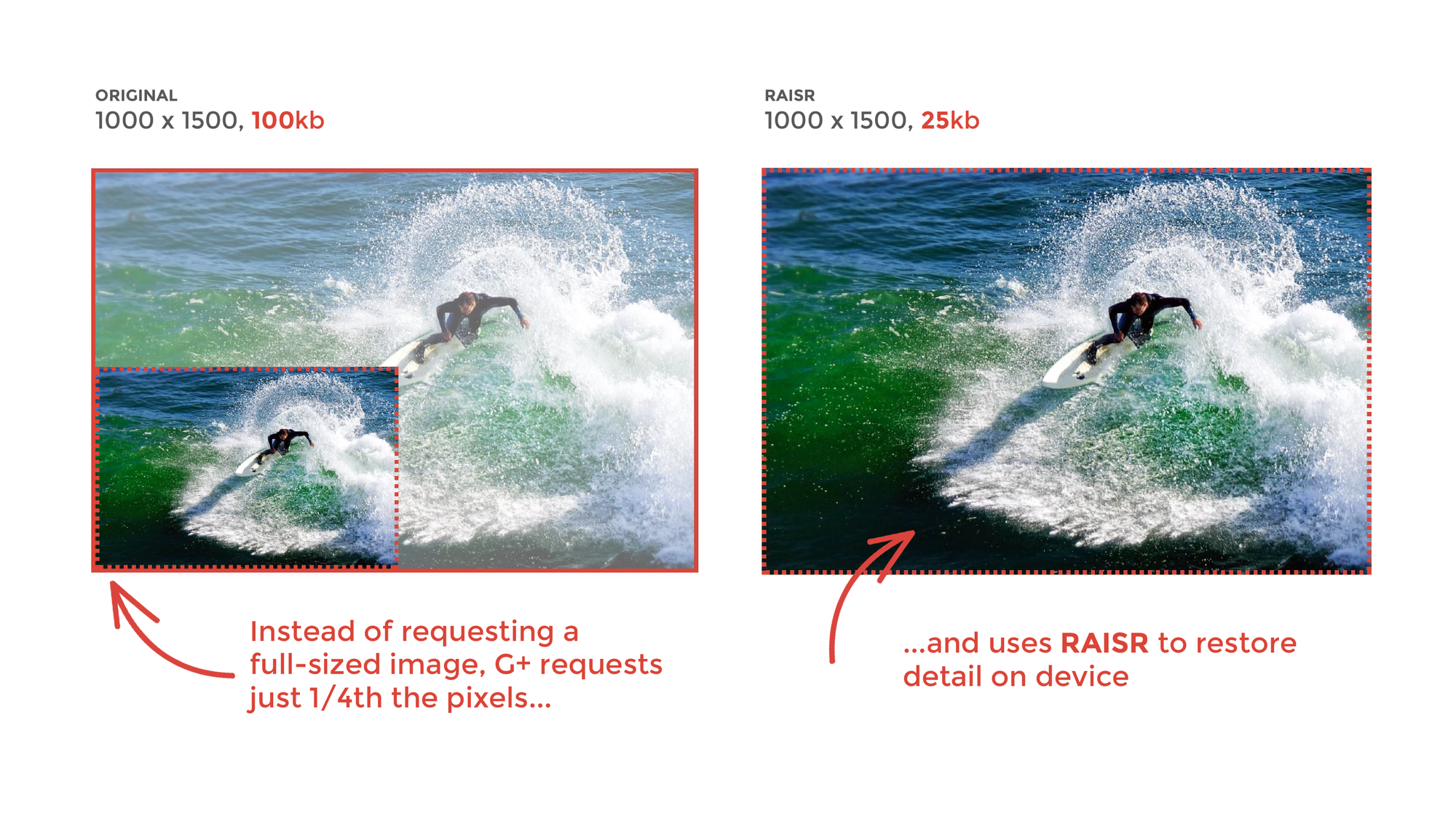
Saving you bandwidth when loading images through machine learning

How RAISR works

To help everyone be able to see the beautiful photos that photographers share to Google+ in their full glory, we’ve turned to machine learning and a new technology called RAISR. RAISR, which was introduced in November, uses machine learning to produce great quality versions of low-resolution images, allowing you to see beautiful photos as the photographers intended them to be seen. By using RAISR to display some of the large images on Google+, we’ve been able to use up to 75 percent less bandwidth per image we’ve applied it to.

Google

Comments

Most Favorite Posts

Judo App - Server Driven UI out of the box

Judo App Judo brings server-driven UI to your iOS and Android apps. Build user interfaces visually in a fraction of time and publish them instantly without submitting to the app store. Build Experiences - With No Code The Judo app for macOS, available through the App Store, is built for design professionals with common keyboard shortcuts and familiar concepts like canvas, layers and inspector panel. Workflow is streamlined with the ability to drag and drop media files directly into your experiences and manage your own Judo files in Finder. Manage Creative Execution A Judo experience is interactive and can include text, images, video and buttons. An experience may be part of a screen, a single screen, or more typically multiple linked screens. Judo supports screen transitions, carousels, horizontal scrolling and modals. Clients can add custom fonts and define global colors and these are updates applied universally. Effortlessly Deploy Judo Cloud syncs your experiences with your iOS and ...

Flip4Mac

Flip4Mac WMV Components allow you to import, export and play Windows Media video and audio files on your Mac. Flip4Mac WMV export components can be used with QuickTime Pro, Final Cut Pro, Compressor, and iMovie 06 (iMovie '08 and '09 not supported). Flip4Mac

How to link to TestFlight App in iOS

There are two things you need to do. First, check to see if TestFlight is installed. Then create a new link to your app. NSURL *customAppURL = [NSURL URLWithString:@"itms-beta://"]; if ([[UIApplication sharedApplication] canOpenURL:customAppURL]) {     // TestFlight is installed     // Special link that includes the app's Apple ID     customAppURL = [NSURL URLWithString:@"https://beta.itunes.apple.com/v1/app/978489855"];      [[UIApplication sharedApplication] openURL:customAppURL]; } This special https://beta.itunes.apple.com URL will be opened directly in TestFlight. Finally, if you are using iOS 9 (or later), you need to make an addition to your Info.plist to get the canOpenURL: method to work. If your app is linked on or after iOS 9.0, you must declare the URL schemes you want to pass to this method. Do this by using the LSApplicationQueriesSchemes array in your Xcode project’s Info.plist file. For each URL scheme you wan...
LazyPages is a highly customizable library that helps you to show a scrollable list of view controllers synchronized with an index. It is written in Swift 2.2 for iOS 8+. Like Scrollable Tabs in Android. GitHub